
From Beginner to Motion Graphics Designer: Your Practical Learning Roadmap

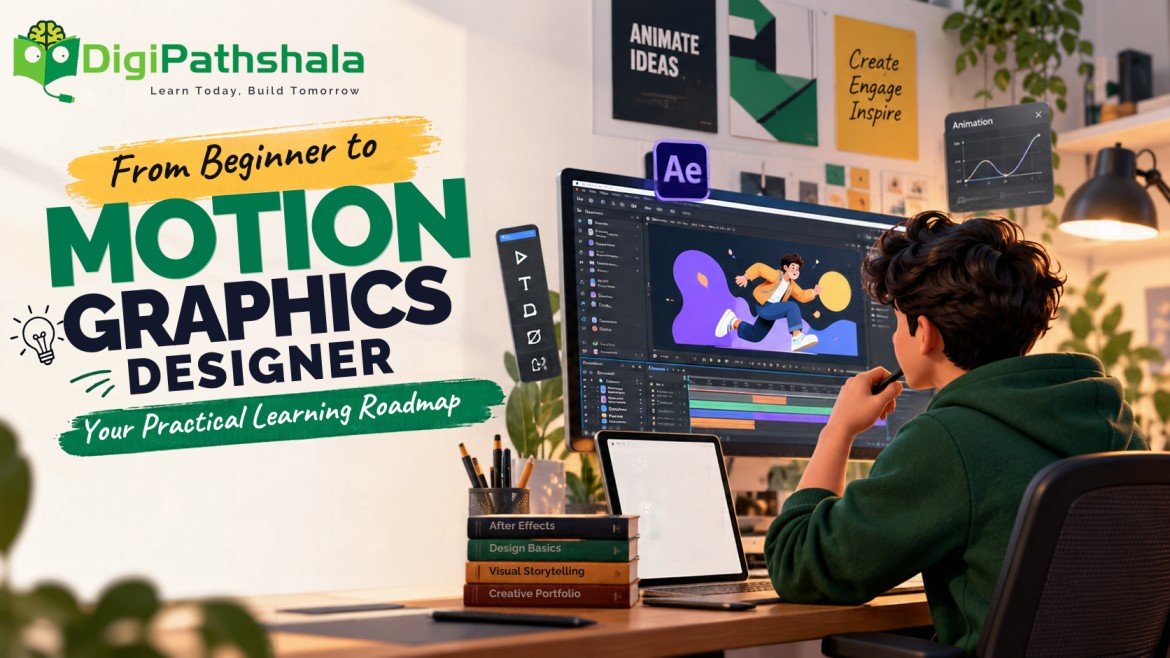
Becoming a professional motion graphics designer is an exciting creative journey that combines graphic design, animation, and visual storytelling to bring ideas to life. From animated social media content and promotional videos to dynamic logo reveals and product advertisements, motion graphics empowers brands to communicate complex messages with high visual impact
What Is Motion Graphics?
Motion graphics involves animating graphic elements such as text, shapes, illustrations, icons, and logos to communicate information visually. Unlike traditional animation, which often focuses on characters and storytelling, motion graphics frequently emphasizes design, movement, and clear communication.
You can see motion graphics in:
- Social media reels and promotional videos
- Animated logos and brand introductions
- YouTube titles and explainer videos
- Product advertisements and launch campaigns
- Educational videos and presentations
As businesses increasingly use video content to reach audiences, motion graphics skills can complement careers in graphic design, video editing, advertising, and digital marketing.
Step-by-Step Roadmap to Become a Motion Graphics Designer
1. Build Your Graphic Design Foundation
Before creating complex animations, learn the fundamentals of visual design. Good motion graphics depend on more than movement; they require attractive layouts and clear communication.
Start by understanding:
- Colour theory and contrast
- Typography and font pairing
- Composition and visual hierarchy
- Spacing, alignment, and balance
- Basic visual storytelling
Practise designing simple posters, social media creatives, and title cards. These exercises will help you create stronger visuals before animating them.
2. Learn the Basics of Animation
Once you understand design fundamentals, explore how objects move on screen. Begin with simple exercises instead of attempting complicated effects immediately.
Focus on keyframes, timing, spacing, easing, transitions, and the movement of text and shapes. Learn how to make animations feel smooth and guide the viewer’s attention naturally.
For example, create a short animation in which a brand name appears, supporting text moves into place, and the logo finishes with a clean reveal.
3. Master the Right Motion Graphics Software
Learning professional software will help you turn creative ideas into finished projects. Adobe After Effects is a useful starting point for motion design, animated typography, logo reveals, and visual effects.
Depending on your goals, you can also learn graphic design tools to prepare assets and video editing software to combine animations with footage and audio.
Rather than learning every tool at once, choose a manageable workflow and practise it consistently. Understanding the principles behind your tools is more valuable than memorising effects without knowing when to use them.
4. Practise With Real-World Projects
Practical projects help you apply what you learn and identify areas for improvement. Set small, achievable goals and gradually increase the complexity of your work.
Try creating:
- A 5–10 second animated logo
- A kinetic typography video
- A promotional reel for a fictional business
- A short product advertisement
- An animated explainer about a simple topic
Review each project for readability, timing, smooth movement, audio balance, and visual consistency. Ask for feedback and improve your work before moving to the next project.
5. Build a Strong Motion Graphics Portfolio
A portfolio demonstrates your skills to potential employers, agencies, and freelance clients. Include your best completed projects rather than uploading every experiment.
Your portfolio can feature different animation styles, such as logo animation, text animation, promotional videos, and social media content. A short showreel that presents your strongest work can also help viewers understand your abilities quickly.
Where possible, explain the objective of each project and the creative decisions behind it. This shows that you can solve communication problems, not simply create attractive effects.
6. Explore Motion Graphics Career Opportunities
After developing your skills and portfolio, you can explore opportunities such as:
- Motion graphics designer
- Logo animation artist
- Video content designer
- Social media video creator
- Junior motion designer
- Freelance animation professional
Your opportunities will depend on your practical ability, portfolio quality, communication skills, and experience. Continue improving your work and adapting your skills to different project requirements.
Learn Motion Graphics With DigiPathshala
If you prefer structured guidance instead of learning entirely on your own, practical training can help you follow a clearer learning path.
DigiPathshala offers a Motion Graphics course covering Adobe After Effects, text animation, promotional video workflows, visual effects, social media motion content, and portfolio or showreel preparation.
The course is designed to help learners practise motion design and develop project-based skills. Before enrolling, review the curriculum and speak with the institute to understand the learning format and how it fits your goals.
Frequently Asked Questions
Can beginners learn motion graphics?
Yes. Beginners can start with design fundamentals, simple animation exercises, and one software tool before progressing to more advanced projects.
Do I need drawing skills to become a motion graphics designer?
Not necessarily. Drawing can be helpful, but many motion graphics projects use typography, shapes, icons, logos, and existing graphic assets.
Which software should I learn first?
Adobe After Effects is a practical starting point for many motion graphics workflows, especially animated text, logos, promotional videos, and visual effects.
How can I get my first motion graphics project?
Create a portfolio with several polished projects, share your work professionally, seek internships or entry-level opportunities, and approach suitable clients with relevant examples.
Conclusion
Becoming a motion graphics designer starts with learning the fundamentals, practising consistently, and turning your skills into complete projects. You do not need to master everything at once. Focus on one skill at a time, build a strong portfolio, and keep improving through feedback.
With a structured learning plan and hands-on practice, you can take meaningful steps toward a creative career in motion graphics.
Ready to start learning? Explore DigiPathshala’s Motion Graphics course and discover how guided practice can help you develop your creative skills.